


Why SlimKing Login Freezes on Mobile
Why SlimKing Login Freezes on Mobile
Experiencing a frozen login screen when trying to access your favorite casino on your phone is incredibly frustrating. This guide will walk you through the most common reasons why the SlimKing casino login might freeze on mobile devices and provide clear, actionable steps to resolve the issue and get you back to playing.
1. Common Causes of Mobile Login Freezes
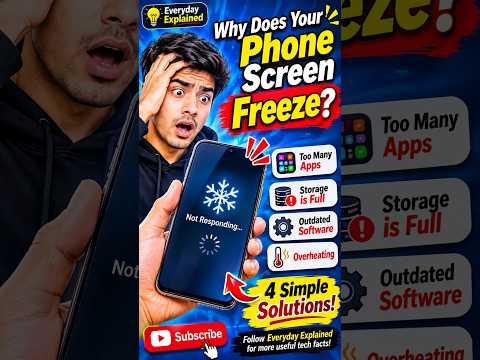
The login process for any online platform can hang due to a handful of typical culprits. For the SlimKing app or mobile site, these are the most frequent offenders. Often, the problem isn’t with the casino’s servers but with local conditions on your device. A weak or unstable internet connection is the prime suspect, as it can prevent the authentication data from being sent and received properly. Other common causes include your mobile browser’s cached data becoming corrupted, an outdated app version that contains bugs, or your device’s operating system needing an update to maintain compatibility.
2. Step-by-Step Troubleshooting Guide
Follow these steps in order to diagnose and fix the login freeze. Start with the simplest solutions first before moving to more involved ones.
- Check Your Internet Connection: Switch from Wi-Fi to your mobile data (or vice versa) to see if the problem is network-specific. Try loading another website to confirm your connection is stable.
- Force Close and Reopen the App/Browser: Fully close the SlimKing app or your browser tab. On most phones, you can do this by swiping the app away from your recent apps list.
- Clear Your Browser Cache and Cookies: If using a browser, go into its settings and clear the cached images and files. This often resolves loading issues instantly.
- Update the App: Visit your device’s app store (Google Play or Apple App Store) to check for any available updates for the SlimKing application. Installing the latest version patches known bugs.
- Restart Your Device: A simple reboot can clear out temporary software glitches that may be causing the hang-up.
3. Checking Server Status and Compatibility
If the steps above don’t work, the issue might be on SlimKing’s end. Before you assume your phone is the problem, it’s worth checking if the casino is experiencing widespread technical difficulties. You can usually find this information on their official social media pages or by using third-party “is it down” websites. Furthermore, ensure your device meets the minimum system requirements. The SlimKing mobile experience is optimized for devices running iOS 12.0+ or Android 8.0+. Using an older operating system can lead to performance issues and freezes.
| Potential Issue | Quick Symptom Check | Immediate Action |
|---|---|---|
| Poor Network Signal | Other apps/websites are also slow or not loading. | Move to a better signal area or switch networks. |
| Outdated App Version | Login freeze is consistent; no recent updates. | Update the app via your app store. |
| Server Maintenance | Cannot access the site at all; may see a maintenance message. | Wait 30-60 minutes and try again. |
| Device Incompatibility | App crashes immediately or runs very slowly. | Check OS version and update if possible. |
4. Reinstalling the App and Contacting Support
As a last resort, uninstalling and then reinstalling the SlimKing app can be a powerful fix. This process gives you a completely fresh installation, eliminating any deeply corrupted files that clearing the cache couldn’t remove. Remember, you will need your login credentials handy to get back into your account afterward. If you’ve tried everything and the login still freezes, it’s time to contact customer support. Have details ready like your username, device model, and operating system version. They can check for account-specific issues and escalate the problem to their technical team if it’s a bug they need to fix on their side.
5. Ensuring a Smooth Experience for Bonuses
Resolving login issues is crucial, especially when trying to claim time-sensitive offers. You wouldn’t want to miss out on a lucrative SlimKing bonus because of a technical glitch. A stable login ensures you can enter a SlimKing promo code without error and receive your SlimKing free spins or SlimKing no deposit offers instantly. Keeping your app updated and your connection stable is the best way to ensure you never miss a promotion. For the latest offers and a seamless gaming experience, always access the platform through the official SlimKing website.
By methodically working through these potential problems, you can almost always resolve a frozen slimking login screen. The solution is typically quick and simple, getting you back to your games with minimal downtime.